Staff preparation and response guide
3 printable page(s)
Download PDFCAUGHT IN THE NET • SCHOOL RESOURCES
Practical, printable tools to support conversations, communication and safer choices. Use the book, videos, games and puppets together.
School review edition: your safeguarding lead should review and adapt the pack before use. Not a reporting service or a replacement for school procedures.
Download the complete 13-page pack
A4 portrait. Print the whole pack or selected resources. Enlarge the boards or poster to A3 if useful. Boards use simple original drawings, not a validated AAC symbol set; use familiar symbols or the pupil’s own communication aid where needed.
3 printable page(s)
Download PDF1 printable page(s)
Download PDF3 printable page(s)
Download PDF2 printable page(s)
Download PDF2 printable page(s)
Download PDF1 printable page(s)
Download PDFBOBBY’S COMMUNICATION TOOLS
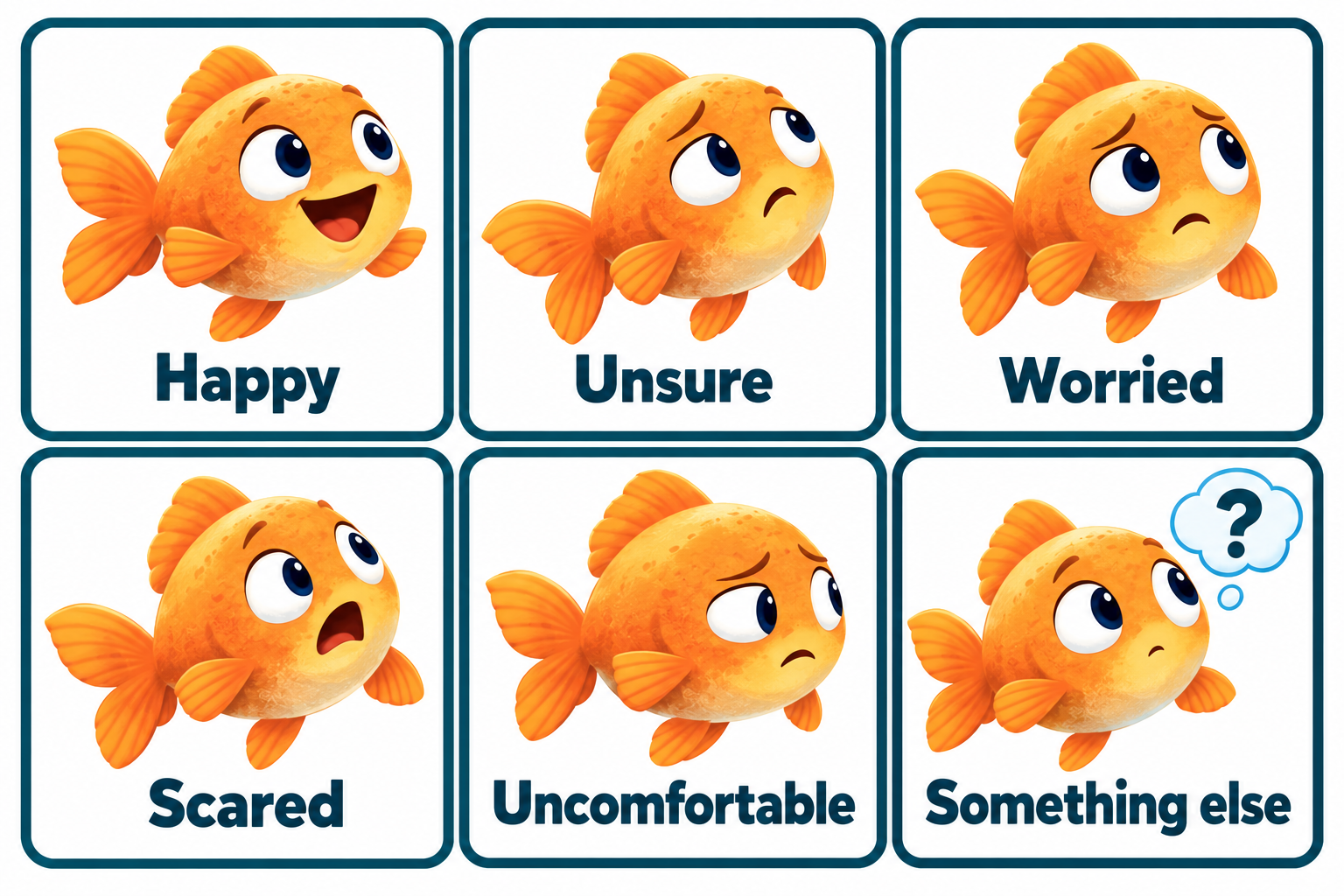
Look, point, sign or say. There is no need to choose an exact feeling.
Download illustration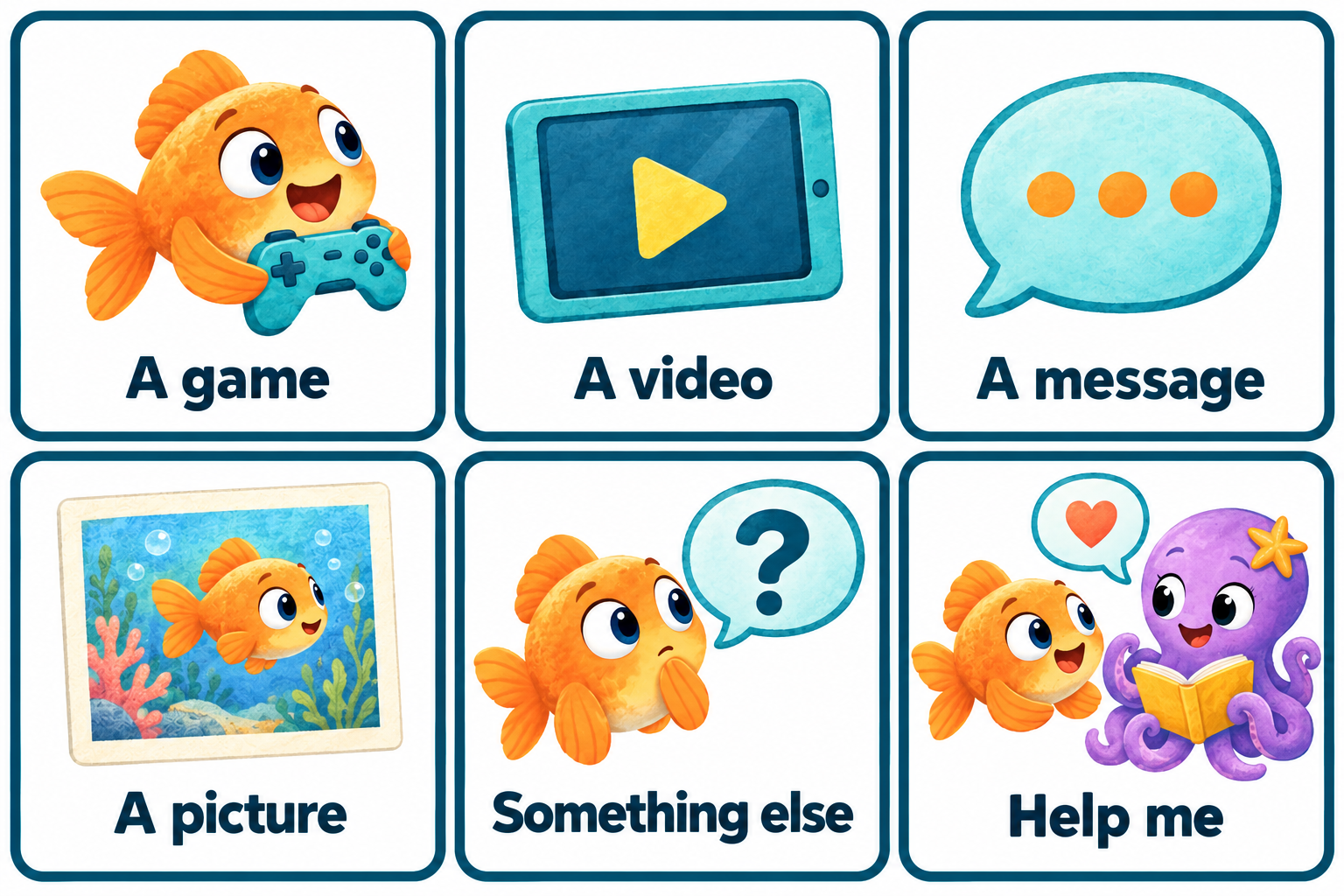
Use privately with someone who can support you. You can choose Help me straight away.
Download illustration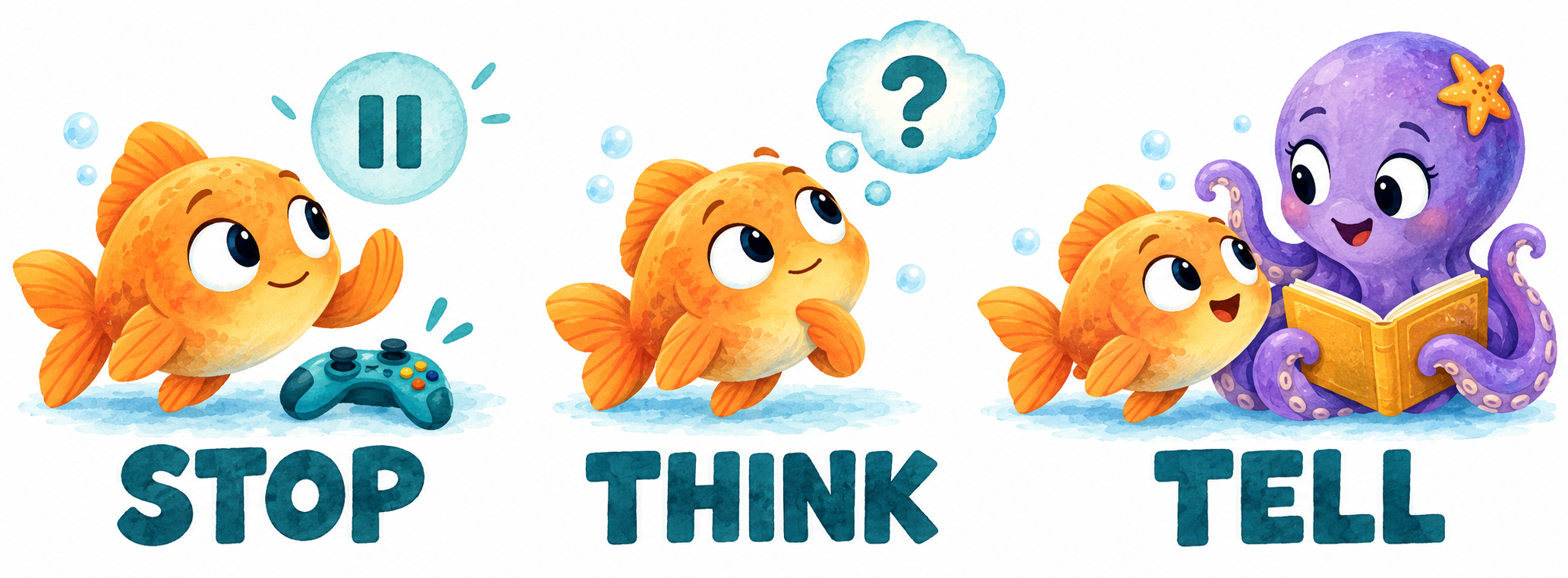
A positive reminder to return to in the story, games and classroom.
Download illustrationTransparent character asset for school learning materials.
Download illustrationNo login, form, tracking script or storage is added by this resource page. Do not send pupil information through the website. Communication sheets are for private, staff-supported use.
SCHOOL RESOURCE PACK
Bring Bobby’s story into everyday learning with the picture book, musical videos, games and puppets.
Primary and SEND settings. Adapt the language, pace and communication choices for each pupil. No testing, time pressure or need to share a personal experience.
Staff: read pages 2-3 and agree your school’s response route. These learning resources are not a safeguarding policy, assessment or reporting service. DSL review is required before school use.
STAFF ONLY • START HERE
Check the school’s safeguarding policy, designated safeguarding lead (DSL) and deputy contacts. For England, use current KCSIE; elsewhere use the relevant national guidance. Complete the staff details below before delivery.
Offer pointing, eye gaze, signing, speech or the pupil’s usual AAC. Use familiar symbols alongside words; these drawings are prompts, not a validated symbol system. Read aloud, allow processing time and offer a quiet break or opt-out.
Talk about Bobby, not “Who has this happened to?” Never request addresses, passwords, messages or personal stories in a group. Do not use scores as a measure of safeguarding understanding.
Preview the story and videos for your group. Keep volume comfortable and pause before a worrying scene. In games, treat mistakes as practice, not blame. Use adult-supported play if hazards or deductions cause distress.
DSL / deputy: _________________________________
Contact / location: ______________________________
If unavailable, follow this school route: ______________
Staff review date: _______________________________
STAFF ONLY • RESPONSE GUIDE
Stay calm. Take the concern seriously. Say: “Thank you for telling me. This is not your fault. I will help.” Do not promise secrecy; explain that you must share with people who can help keep them safe.
Use the pupil’s communication method and allow time. Avoid leading questions or asking them to repeat their story to multiple people. Write their words and relevant observations accurately; distinguish facts from interpretation.
Pass the concern to the DSL or deputy immediately using school procedures. Do not assume another person has done so. If they are unavailable, use the policy’s escalation route; do not delay action needed to protect the child. Immediate danger: call 999.
Do not ask pupils to forward upsetting material. For suspected nude or sexual imagery of children: do not view, copy, print, save or share it, or ask a child to download it. Refer to the DSL and UKCIS guidance. Follow school procedures for other messages and evidence.
Store records only in the school’s secure safeguarding system, not on this public website or in a class display. Agree appropriate follow-up and check the pupil knows how to seek help again. The DSL coordinates referrals and contact with families where appropriate.
CLASSROOM POSTER
Pause. You can move away from the screen.
How do I feel? I do not have to work it out alone.
Tell someone I know and trust.
Worried, confused, uncomfortable or scared? That is enough reason to ask. If the first person cannot help, tell another trusted person.
COMMUNICATION BOARD • POINT / LOOK / SAY
You can feel more than one thing. You do not need the exact word. Use your own communication aid if you prefer.
Point to a feeling, say a word, use a sign or show “Help”. You can skip this board and ask for support straight away.
COMMUNICATION BOARD • USE PRIVATELY WITH STAFF
I want a break. / I want someone with me. / I want to talk somewhere quiet. / I do not know yet.
Accept pointing, looking, signing or AAC. Do not require every box to be answered. This board starts a conversation; it does not investigate a concern. Follow your safeguarding procedure if a worry is shared.
MY TRUSTED-PEOPLE PLAN
Name or draw a teacher, teaching assistant or another trusted person.
________________________________________________
Name or draw a parent, carer, family member or another trusted person.
________________________________________________
If one person is unavailable or I still need help, I can tell someone else.
________________________________________________
“Can you help me?” / “Something does not feel right.” / “I need to tell you something.” Pointing or using my communication aid counts too.
Complete with a trusted person. Do not publish names, contact details or completed sheets online. Someone met only online is not the same as someone I know and trust in real life.
DELIVERY GUIDE • FLEXIBLE 10-20 MINUTE ACTIVITIES
Share the book until Bobby notices something feels different. Ask: “What does Bobby notice?” Offer the feelings board or usual AAC. Model STOP - THINK - TELL. Finish with one help-seeking choice, not a personal disclosure.
Preview and select a short musical chapter. Pause before a choice. Use one scenario card, then play one Bubble Chat or Safety Quest challenge together. Ask: “What could Bobby do next?” Reassure after every answer.
Use Bobby to model asking for help. A staff member or the octopus puppet responds calmly. Pupils may watch, point, sign or join in. Try a different scenario; end with a trusted-person plan completed privately.
Can the pupil access a way to ask for help, recognise a feeling or select a safer next step? Accept support and repeated practice. Never use a wrong answer, silence or game score as evidence that a pupil is safe or unsafe.
PUPPET ACTIVITY • MODEL A CALM RESPONSE
Bobby: “Someone in my game asked which school I go to. I feel unsure.”
Guide: “Thank you for telling me. You can keep that private. Let’s ask someone you know and trust to help.”
“Share the school name” or “Keep it private and ask for help”. If a pupil chooses the first, say: “We can practise another choice. Bobby can keep it private.” No penalty or shaming.
Sharky represents this story’s misleading online identity. Do not surprise, chase or frighten pupils, or teach that every unfamiliar person is dangerous. Focus on the behaviour and Bobby’s choices, not how an avatar looks.
Bobby practises “Help me” using words, a sign or a board. Say: “You can ask for help even if you clicked, replied or shared something.” Return to a calm, enjoyable activity.
CUT-OUT SCENARIO CARDS • FICTIONAL EXAMPLES
Bobby wants to play with someone. A: someone he knows in real life. B: anyone who sends a request.
Safer: A. Check with a trusted person too; a familiar name or avatar is not proof of identity.
A player asks for Bobby’s school and address. A: share them. B: keep them private and ask for help.
Safer: B. You can keep personal details private.
A pop-up says “Free coins! Click NOW!” A: pause and check with someone trusted. B: click quickly.
Safer: A. Pressure and prizes are reasons to check first.
A video makes Bobby scared. A: send it to friends. B: stop watching and tell someone trusted.
Safer: B. Bobby does not have to deal with it alone.
CUT-OUT SCENARIO CARDS • FICTIONAL EXAMPLES
A game is rated for older players. A: change his age. B: check with someone trusted.
Safer: B. Choose something suitable together.
A message makes Bobby uncomfortable. A: stop replying and tell someone trusted. B: keep it secret.
Safer: A. A trusted person can help decide what to do with the message.
An online player asks for Bobby’s photo. A: send it to keep them happy. B: pause and ask for help before sharing.
Safer: B. Bobby does not owe anyone a picture.
Someone met in a game wants to meet Bobby. A: arrange it alone. B: do not arrange it; tell someone trusted.
Safer: B. An online contact is different from someone known and trusted in real life.
TAKE-HOME GUIDE • FAMILIES AND CARERS
Talk about favourite games and videos. Roblox, YouTube and other services can offer fun and learning, but experiences and features vary. Ask “What do you like?” and “What helps you feel comfortable?” without blame.
Agree suitable content, contacts and breaks. Review privacy, chat, purchases and parental settings together. Settings support safety but do not replace relationships, conversation or help-seeking.
STOP - THINK - TELL someone you know and trust. Make “Help me” available in the child’s usual communication method. Reassure them that asking for help is okay even after a mistake.
Listen calmly, thank them and explain how you will help. Do not demand a demonstration of upsetting content. Contact the school’s safeguarding lead about a concern. Immediate danger: 999. CEOP supports reports of online child sexual abuse.
Read, watch and play: beatbotzedu.com/caught-in-the-net.html
Family advice: internetmatters.org/inclusive-digital-safety/
CEOP: ceop.police.uk/Safety-Centre/
School contact (complete locally): __________________
STAFF / FAMILIES • KEEP THIS PAGE WITH THE PACK
This pack provides original learning activities and communication prompts. It is not clinical advice, safeguarding training, statutory guidance or a substitute for local procedures. No external organisation endorses this pack.
School concern: use the school’s safeguarding route. Immediate danger: call 999. CEOP: concerns about online child sexual abuse, not general bullying or account support. Internet Matters: practical learning and family advice, not an emergency response service.
Prepared 5 October 2026. Staff response wording draws on KCSIE and UKCIS guidance linked below. Check current guidance, links and local policy before use. KCSIE applies in England; schools elsewhere must use their own national framework.
Reviewed by DSL / school lead: ____________________
Review date: __________ Next review: __________
Adaptations / communication support: ______________
For a pupil concern, follow the school’s safeguarding procedure. Immediate danger: call 999. These external resources are independent; no endorsement is claimed.
Prepared 5 October 2026. KCSIE applies in England; use the relevant national guidance elsewhere. Check the current guidance and local policy before using this pack.